Frontbeat

Every employee, every team. In one place.

Frontbeat keeps people records, your org structure, time off and payroll checks together, for companies that work in shifts.

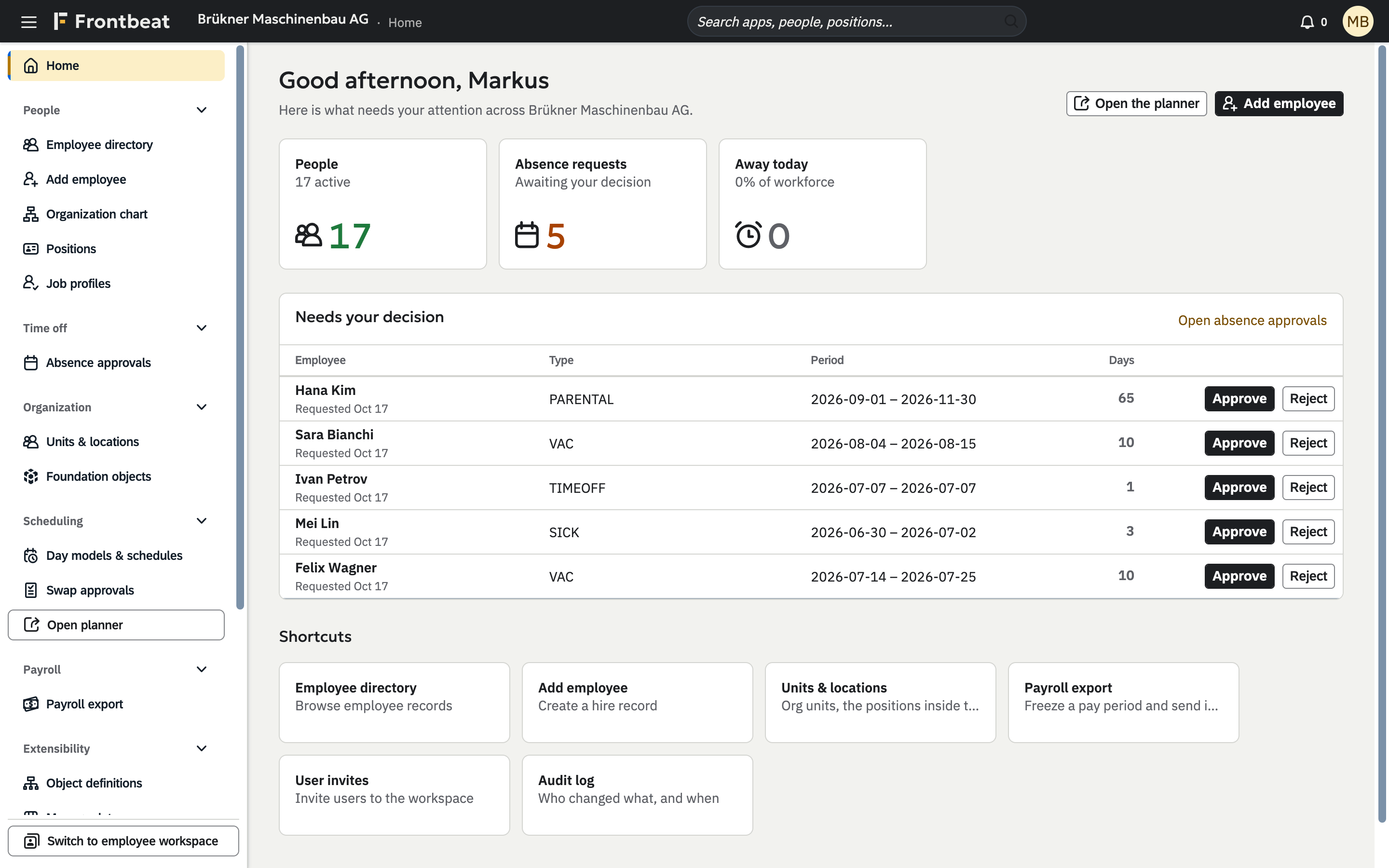
The Frontbeat home page for a demo company, Brükner Maschinenbau AG: a side navigation grouped by module, 17 active employees, 5 absence requests awaiting a decision, each with Approve and Reject buttons, and shortcuts to the directory, units and payroll.
How Frontbeat works

Add a person once. Everything else follows.

Frontbeat works out everything it can from your structure, so the facts on a person's record cannot disagree with each other.

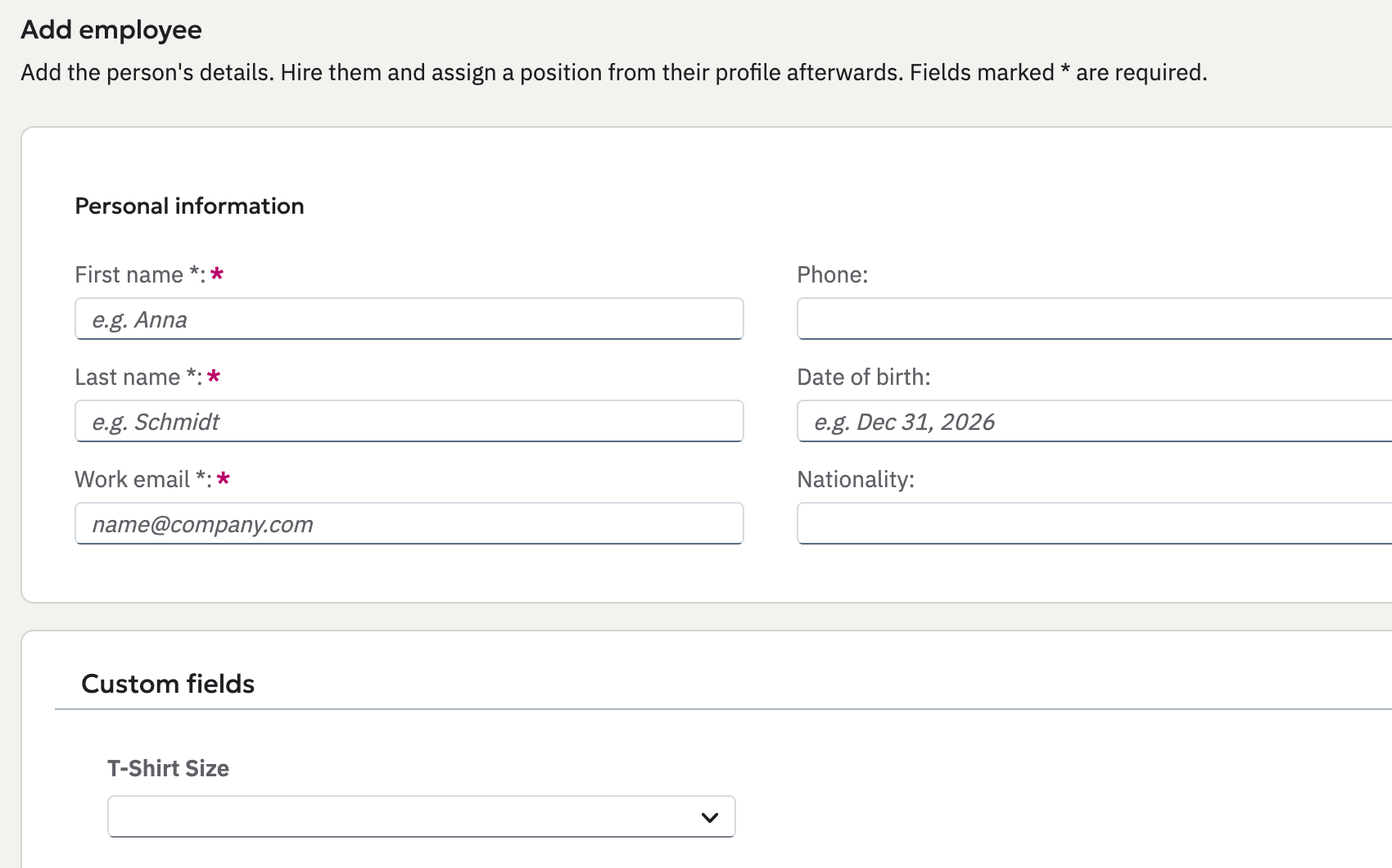
The Add employee form: first name, last name, work email, phone, date of birth and nationality, with the company's custom fields below.
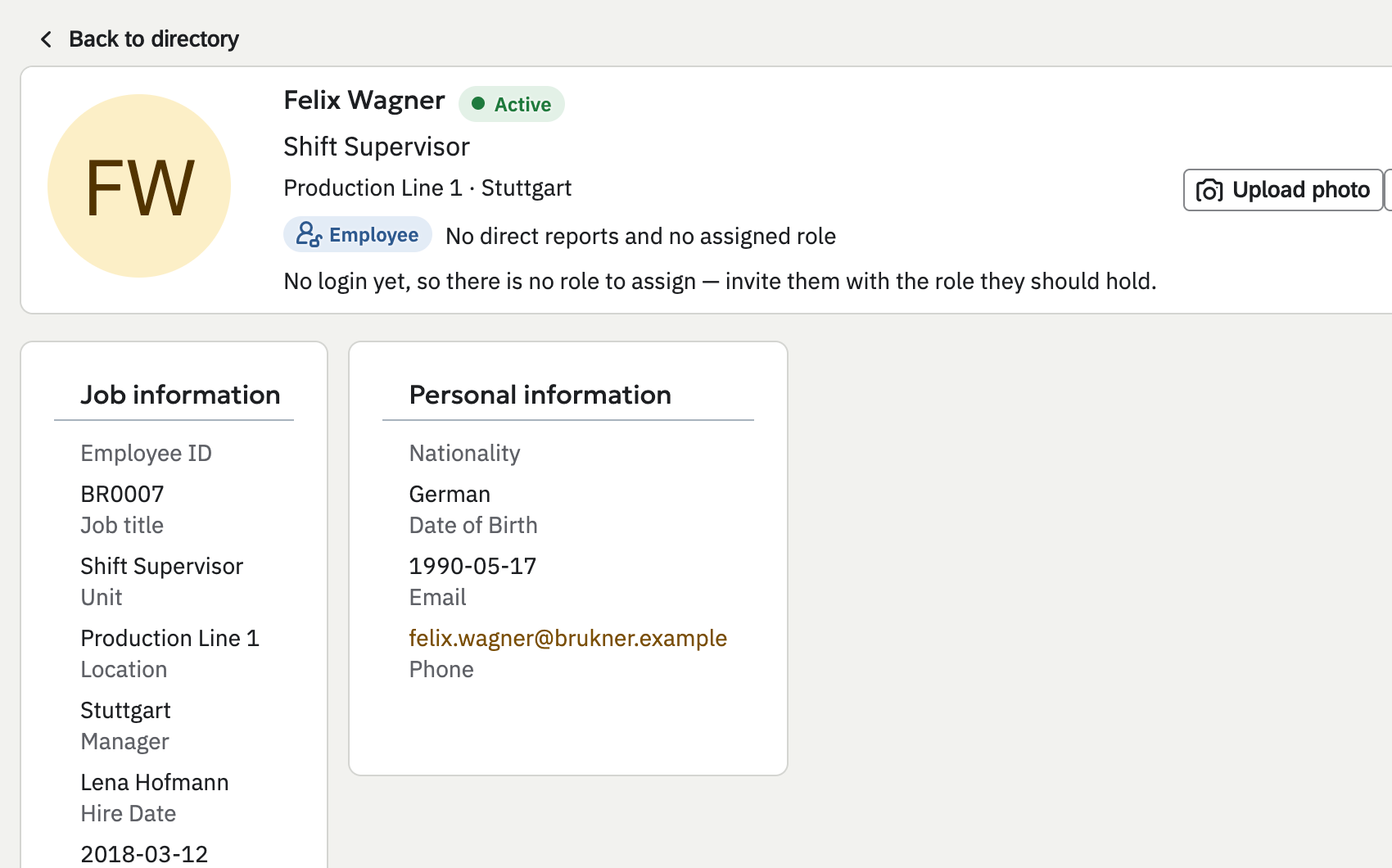
Felix Wagner's profile: shift supervisor in Production Line 1 in Stuttgart, with Lena Hofmann as his manager, worked out from the org structure.
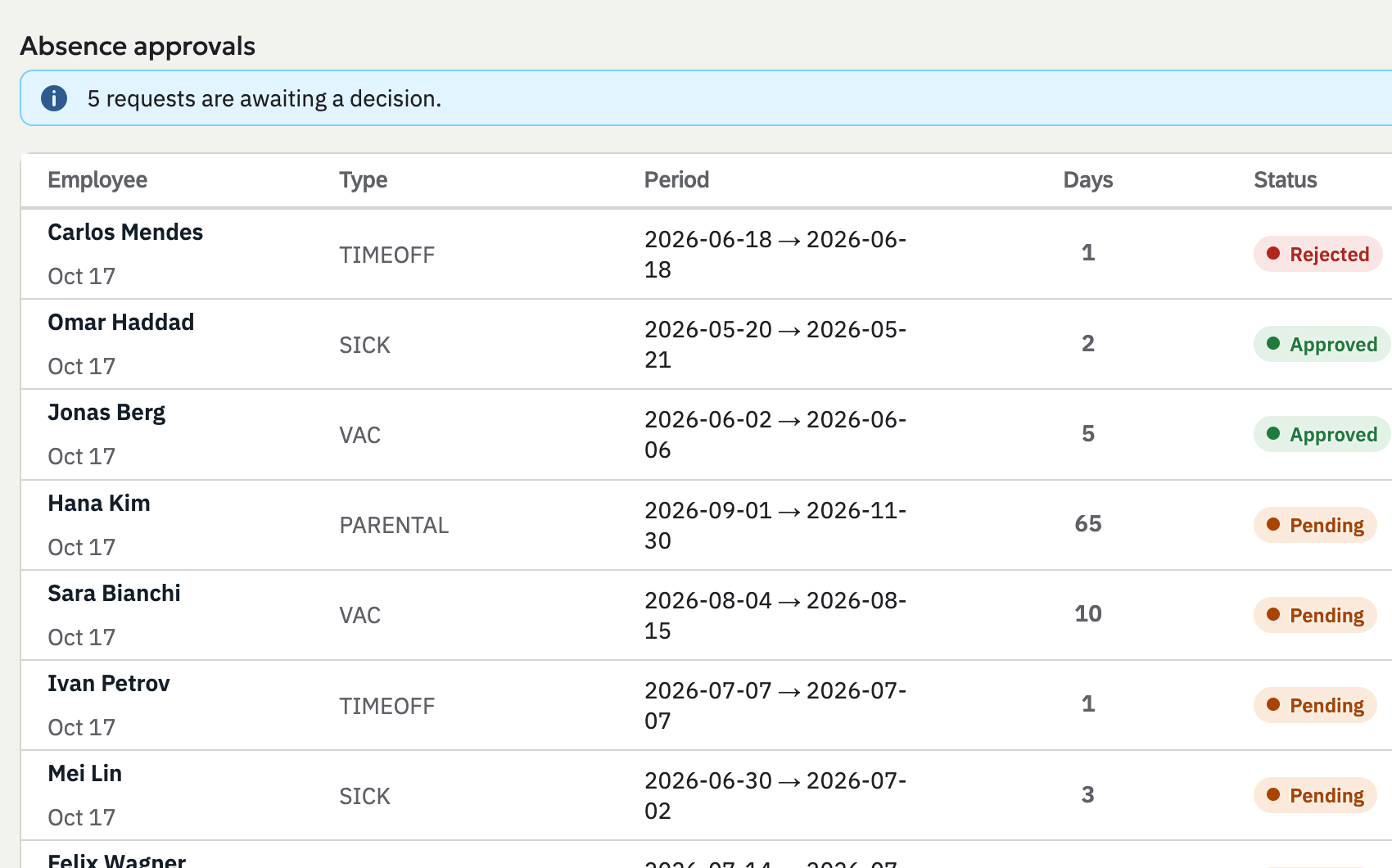
Absence approvals: five requests awaiting a decision, with type, period, number of days and status for each employee.
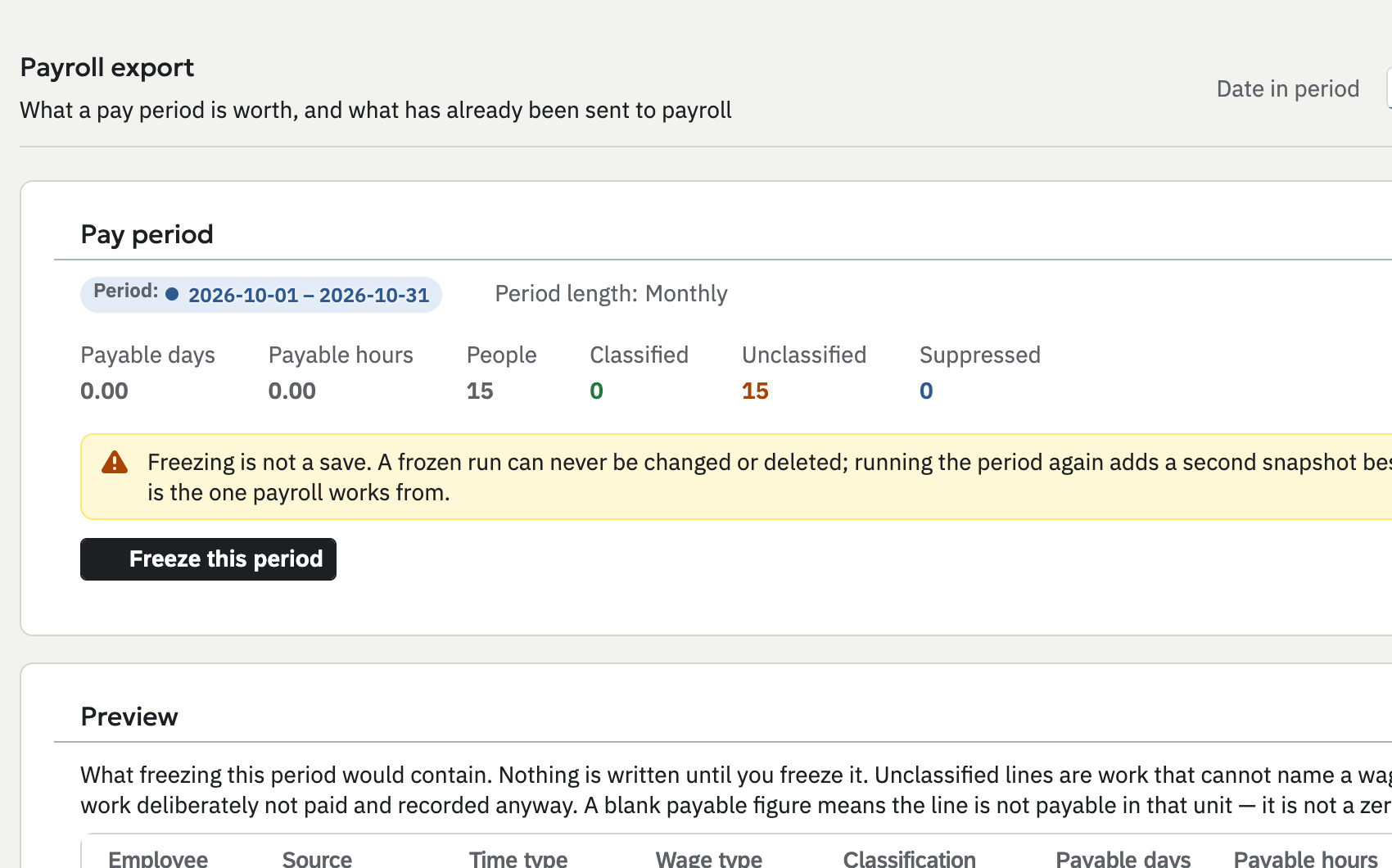
Payroll export for October 2026: payable days and hours, people, and classified, unclassified and suppressed lines, with a button to freeze the period.
  1. 01

    Add someone

    Enter their name and work email, and fill in the custom fields your company added. Their employee number is generated; hire them with a start date from their profile.

  2. 02

    Give them a position

    Assign a position and everything the job carries follows: title, unit, location, manager and terms. Nobody sets a manager by hand.

  3. 03

    Approve their time off

    Requests reach the manager the org chart names, climbing past empty seats. Approve or reject each one with a click.

  4. 04

    Check payroll before it goes out

    Preview the pay period built from planned shifts and approved time off. When it is right, freeze a permanent snapshot and download it as a CSV file.

Features

Built for the people side of shift work.

The org chart, contract terms, people records and payroll checks share one structure, so they stay right together.

See the org chart on any date

Pick a date and see every unit, who headed it and how many people it had. Managers come from the structure, so nobody sets one by hand.
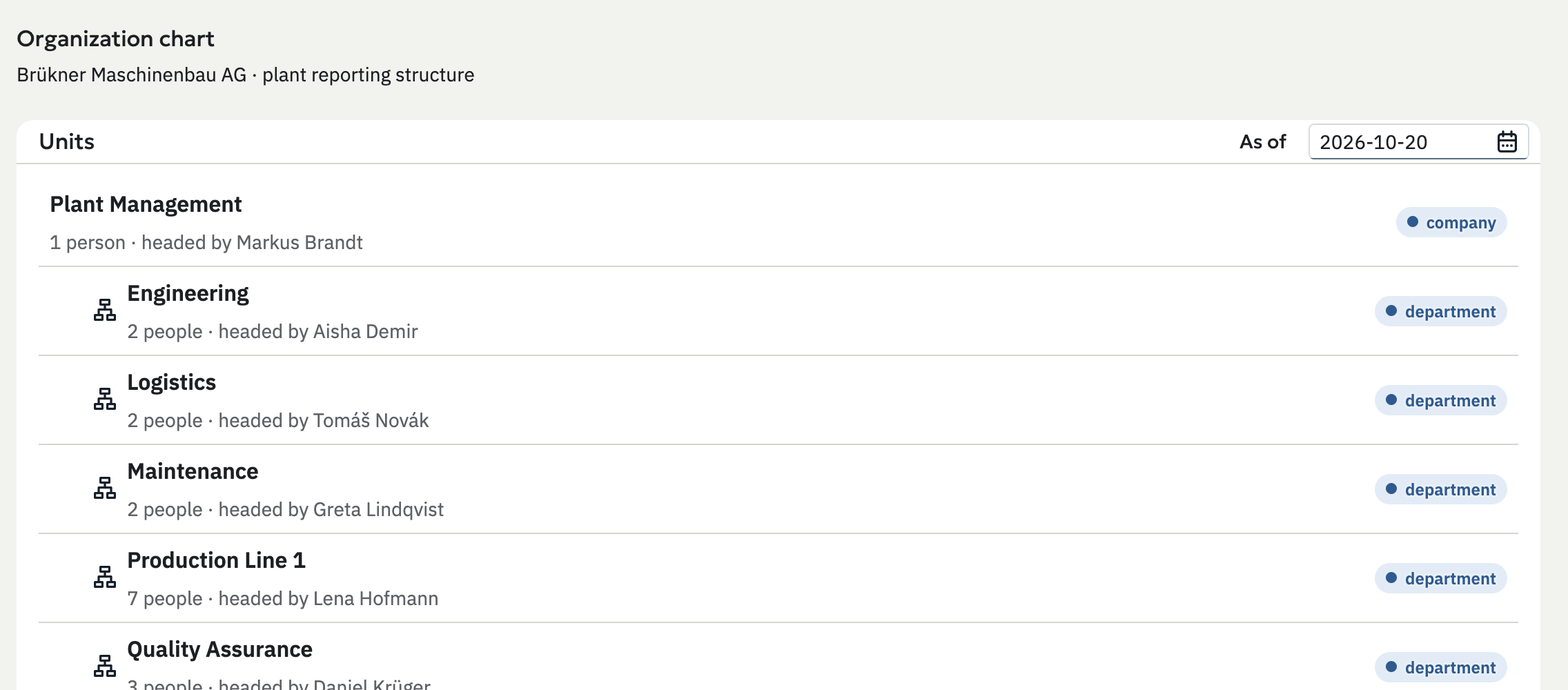
The Organization chart as of a chosen date: Plant Management with Engineering, Logistics, Maintenance, Production Line 1 and Quality Assurance beneath it, each with its head and headcount.

Terms that keep their history

Hours, leave days, working week and default schedule live on the job profile. A change is a new dated version, never an edit that rewrites the past.
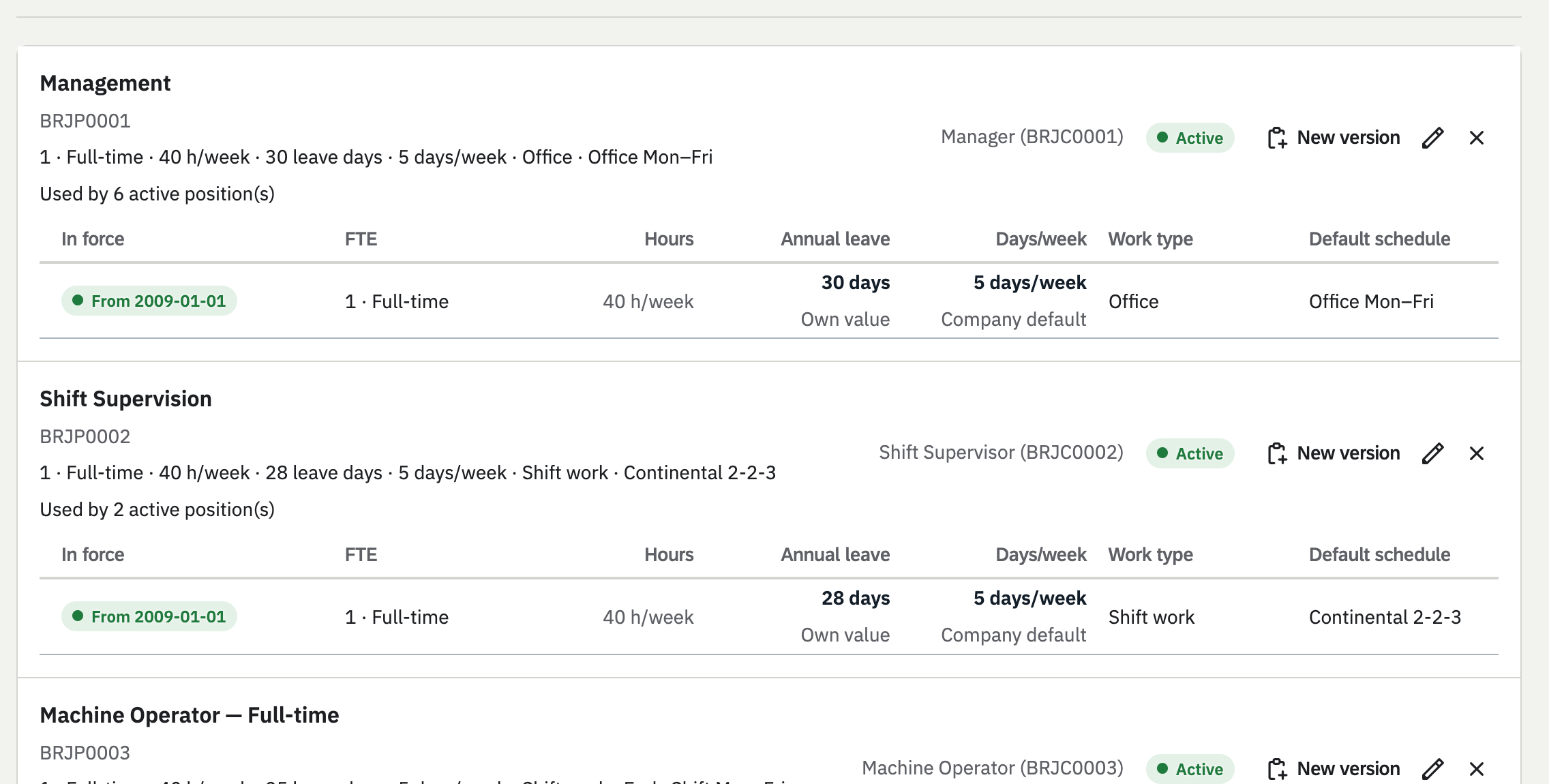
Job profiles: Management and Shift Supervision, each with the terms in force, FTE, weekly hours, annual leave, working days, work type and default schedule.

Bring everyone in at once

Import up to 1,000 people from a CSV file, then hire, rehire and end employment with dated records. Every person's full record is one click away.
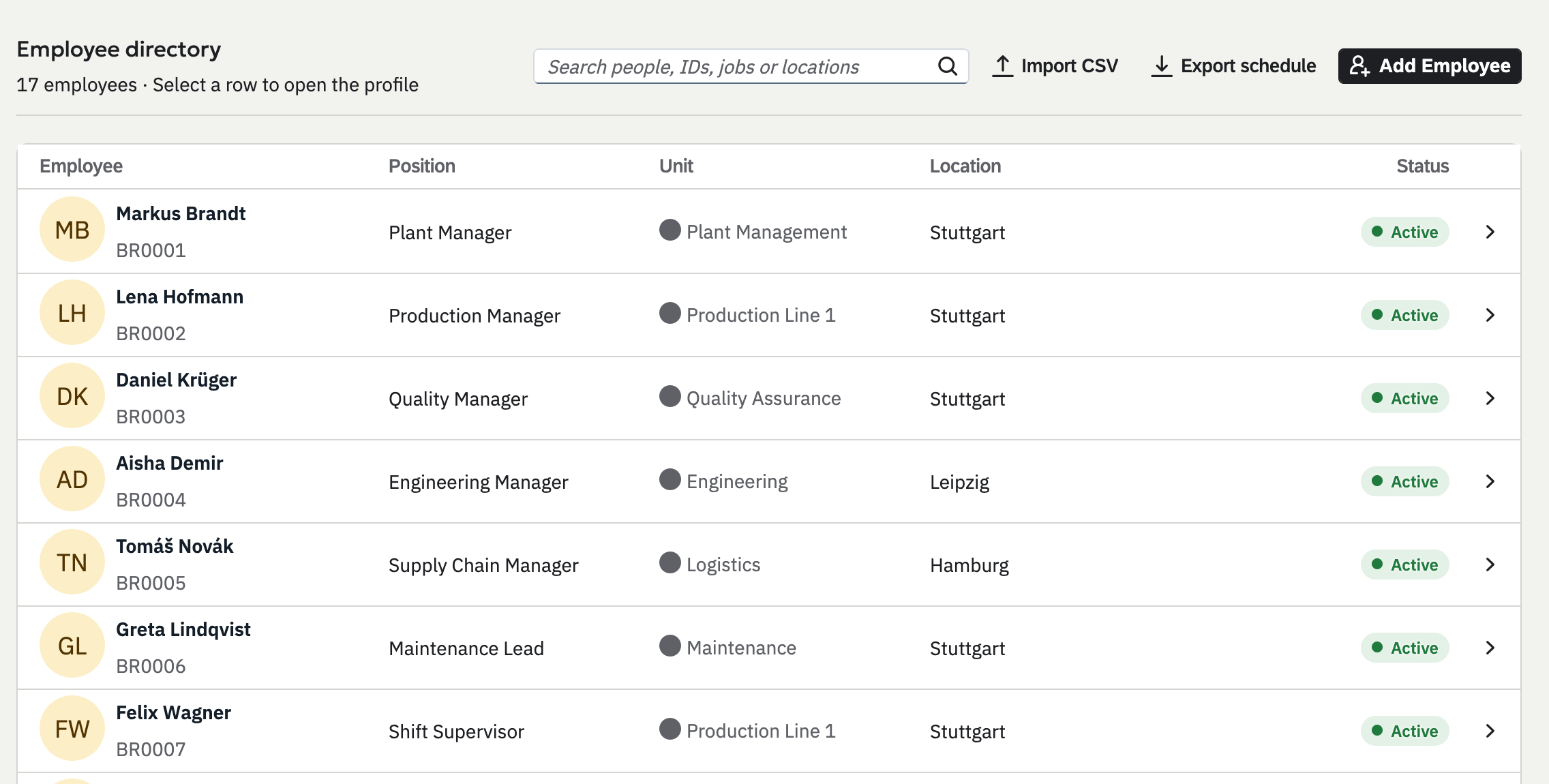
The Employee directory: each person with their position, unit, location and status, with Import CSV and Add Employee buttons.

See what payroll cannot pay yet

Every line that cannot be paid names the reason, such as a time type with no wage type yet. A correction is a new run beside the first, and Compare shows what changed.
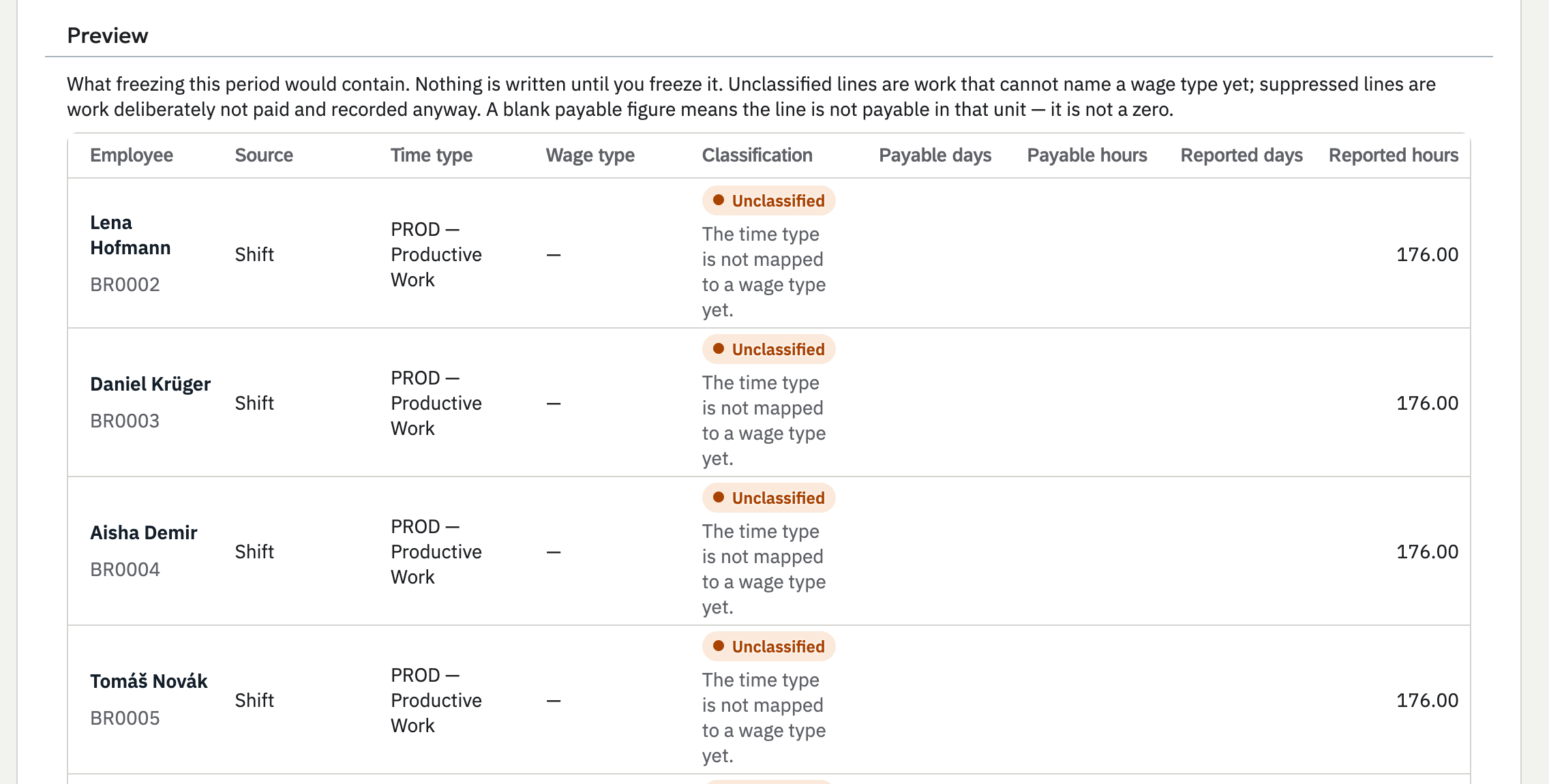
The payroll preview: each line shows its source, time type and classification, and unclassified lines say the time type is not mapped to a wage type yet.

Four roles, and their point of view

Super Admin, Admin, Manager and Employee. A Super Admin can see the app exactly as any employee does, and every proxy is recorded in the audit log.
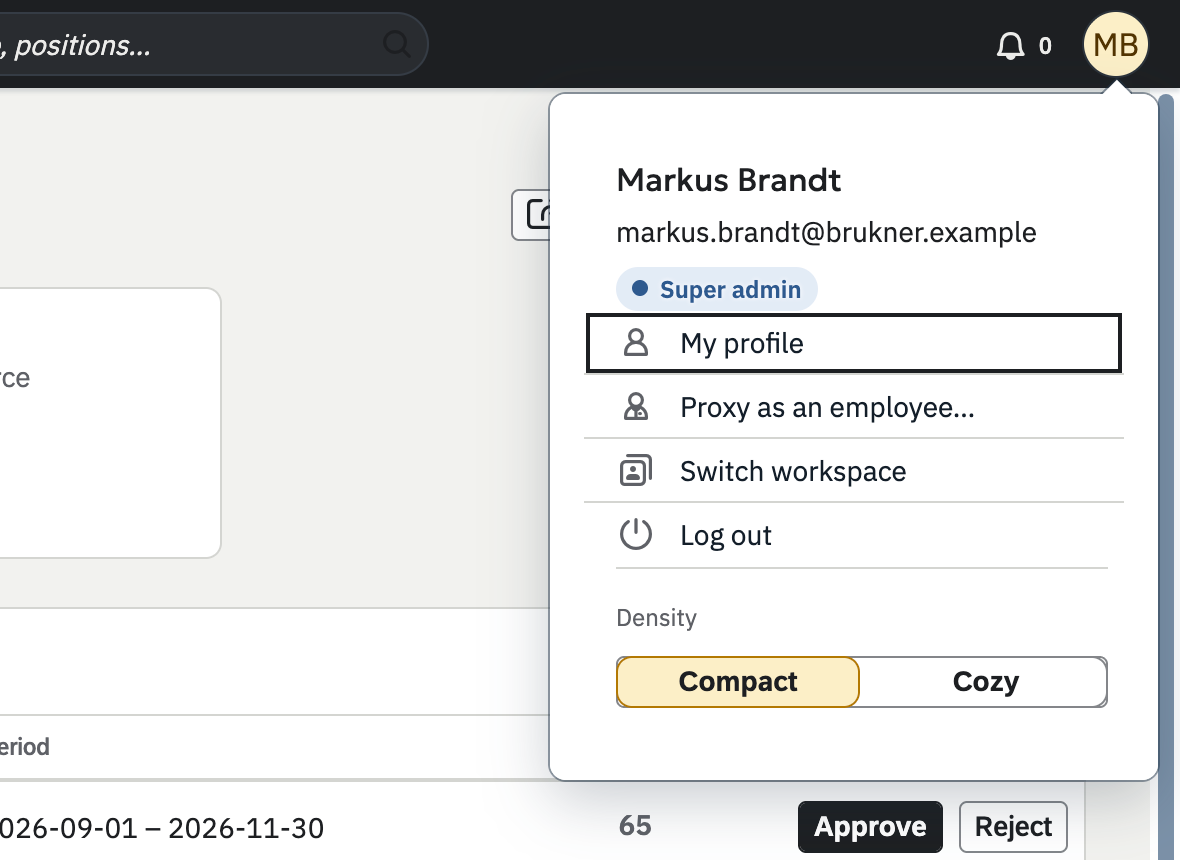
The account menu of a Super admin, with My profile, Proxy as an employee, Switch workspace and Log out, and a choice of density.
Extensions

Switch on what your teams need.

Extensions add to Frontbeat without a second system. A Super Admin turns each one on for the company, and it works with the people and structure already there.

Extension · Scheduling

TeamSchedule

The planner, an extension of Frontbeat.
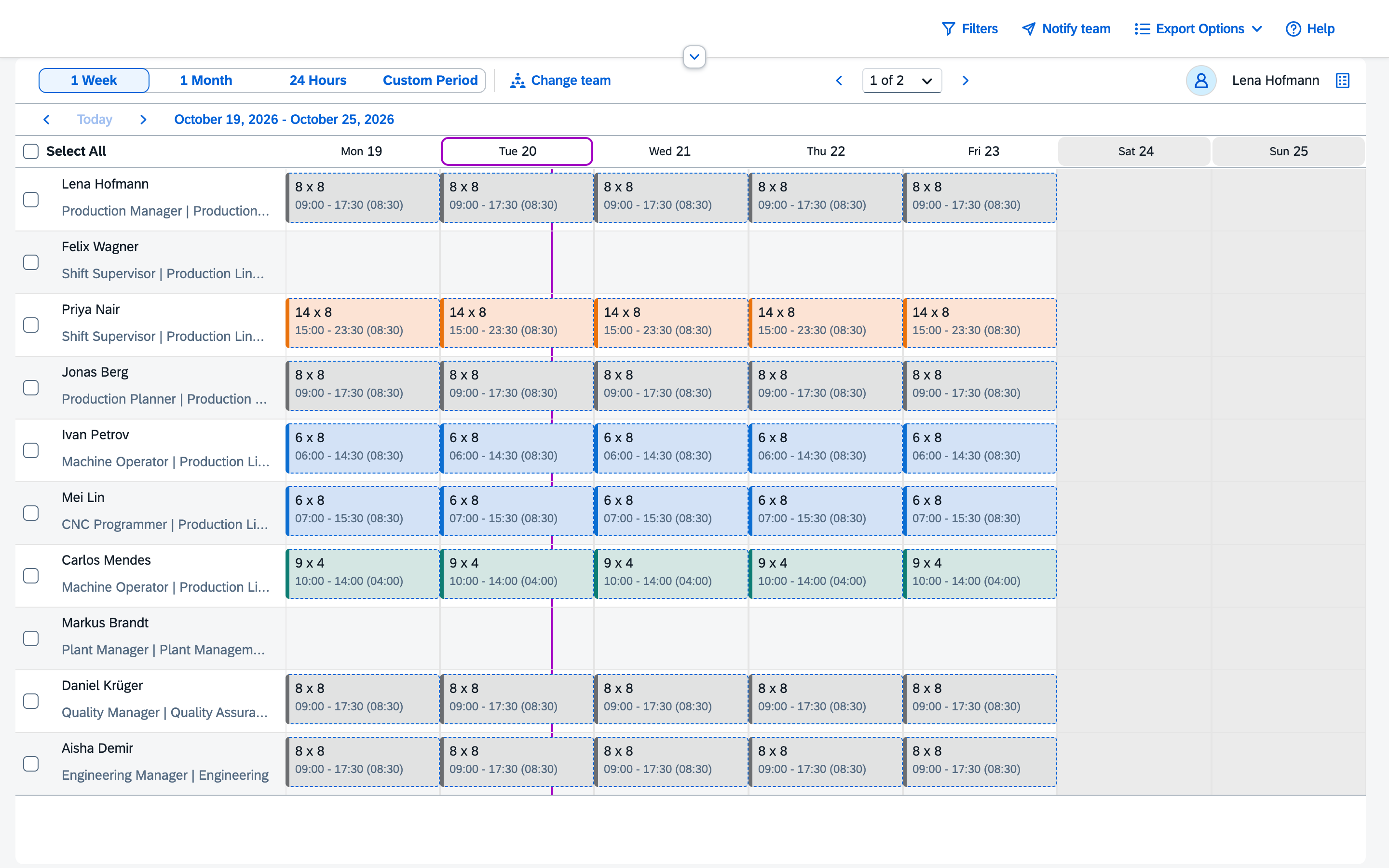
  • Fills each person's week from the default schedule on their job profile
  • Shows approved time off on the board
  • Swaps two people's shifts in one step
  • Exports the period on screen as a CSV file
  • Shows your direct reports, your peers or every level below you
  • Opens from Frontbeat, already signed in
The TeamSchedule planner showing a week of shifts for the people in Production Line 1, one row per person and one column per day.
Extension · Team Central

Employee self-service

Frontline staff sign in with their employee number and a PIN, see their week in My schedule and ask a colleague for an exchange or a takeover. One decision settles it.
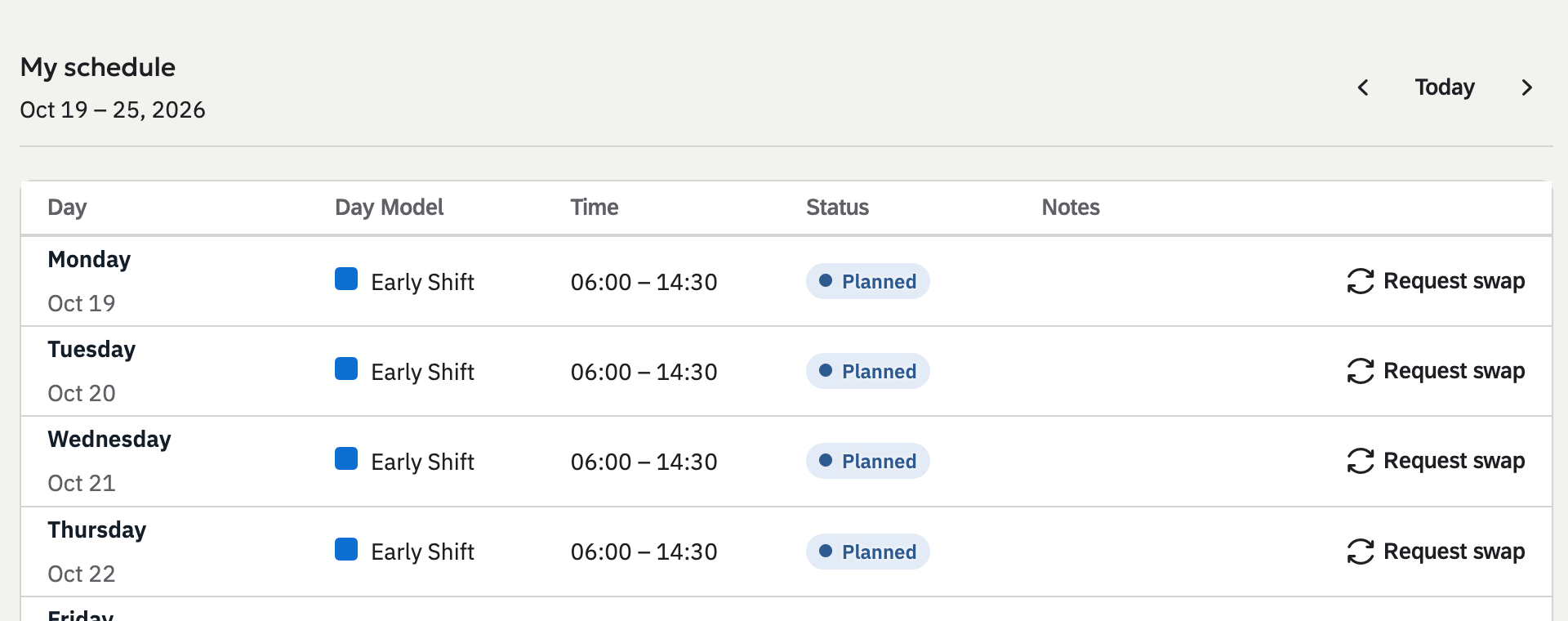
My schedule as an employee sees it: a week of early shifts from 06:00 to 14:30, each with a Request swap link.
Extension · Extensibility

Your own data model

Define custom objects and fields, decide which roles may read and change them, draw approval workflows, and export the whole set-up as a package to start the next company from.
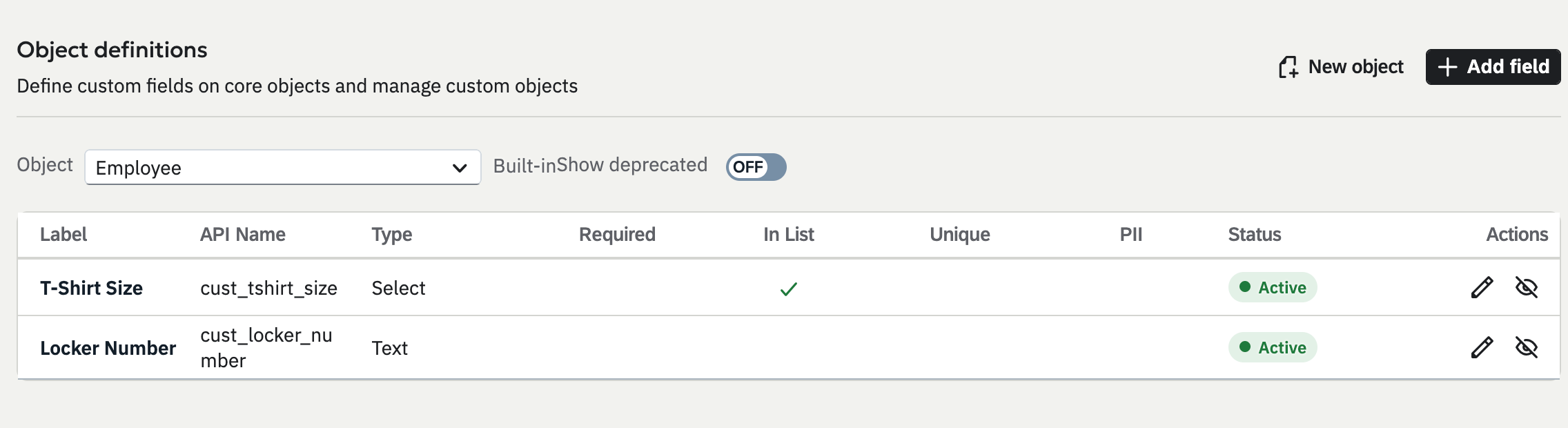
Object definitions with two custom fields on the Employee object: T-Shirt Size, a select field, and Locker Number, a text field.

Hosted in the EU.

  • Google Cloud in Belgium

    The app and its database run in the europe-west1 region.

  • Each company kept apart

    Every company has its own database schema, and every request is tied to one company by its signed token.

  • Single sign-on for admins

    Admins sign in with Microsoft Entra ID. Frontline staff use a PIN.

MonTueWedThuFriSatSun

See Frontbeat with a real company.

We walk you through a demo company with 102 people on 3 sites and answer your questions.